
A while back I wrote about the overall architecture of SAP Business Data Cloud, covering the pieces that sit under the hood (SAP BDC Architecture Explained). That post left out one detail on purpose. Data products deserve their own deep look, because they are the actual unit of value inside BDC.
Everything else in the platform exists to produce and move data products around. The Foundation layer, Datasphere, SAP Databricks, all of it is plumbing. This post is the deep look I skipped the first time, and I have written it so it works whether you have never touched SAP before or you already live in this stack every day.
New to the Term Data Product? Start Here
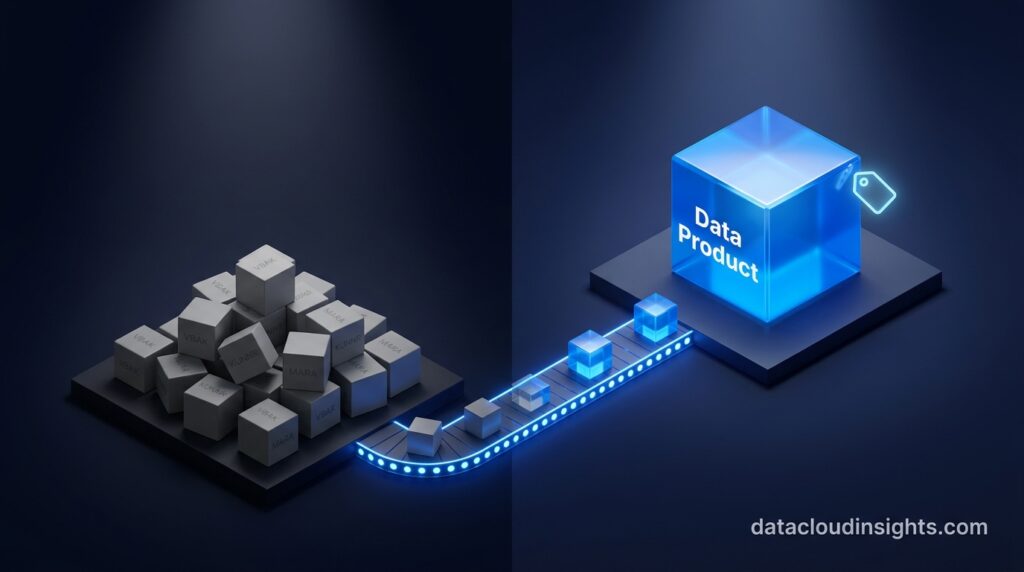
Think about a grocery store for a second. You can buy raw ingredients and cook a meal from scratch, figuring out the recipe yourself. Or you can buy a meal kit that already has the right ingredients measured out, labeled, and paired with instructions.
A raw SAP table is the raw ingredients. It has the data, but the labels are cryptic, nothing is measured out for you, and you need to already know the recipe to use it correctly.
A data product is the meal kit. Someone has already done the measuring, labeling, and pairing, so you can use it immediately without needing to be an SAP expert first.
If that is all you came here for, you now understand the core idea. Everything below explains how SAP actually builds that meal kit, what it looks like on the inside, and how a real project uses it. Stick around even as a beginner, the plain language explanations continue throughout.
What a Data Product Actually Is
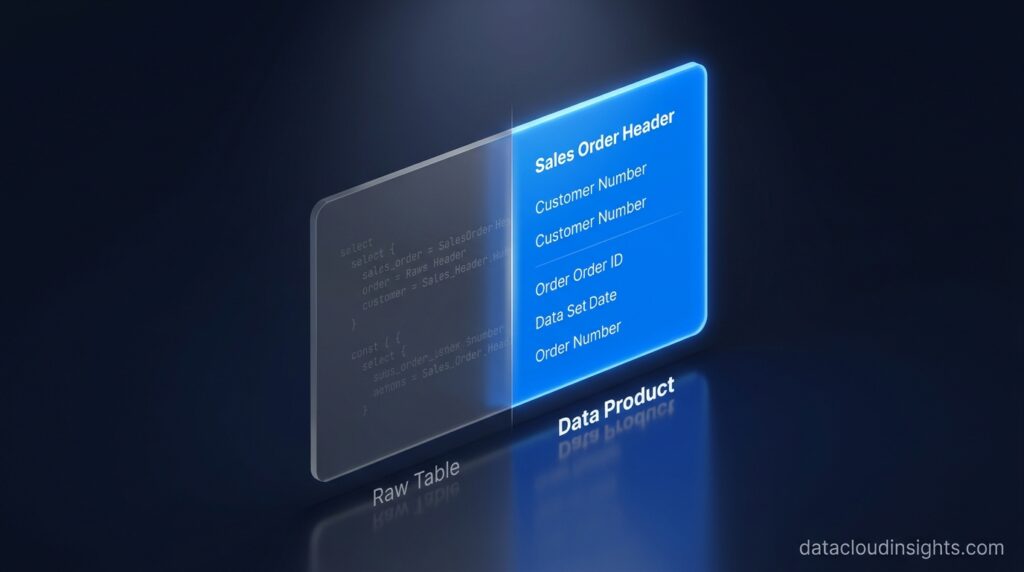
A data product in SAP Business Data Cloud is not just a table or a view. It is a packaged, governed dataset that carries its own schema, business semantics, ownership, and access rules, and gets published to a catalog where other people and tools can find and consume it.
If you come from a Databricks background, the closest mental model is a certified gold table or a dbt model that has been marked ready for consumption. The difference is that SAP generates a large part of the business semantics automatically, because it comes from the application layer itself.
A table that used to show up as VBAK and KUNNR in a raw ERP extract shows up in a data product with labels like Sales Order Header and Customer Number attached. Descriptions, primary and foreign key relationships, and even data privacy tags get carried along automatically when the data product is shared through Delta Sharing into a Databricks Unity Catalog.
In plain terms: Delta Sharing is an open method for handing data from one platform to another without physically copying the files, and Unity Catalog is Databricks’ own system for tracking and governing every table it can see. SAP data products plug directly into both.
Why SAP Did Not Just Expose Raw Tables
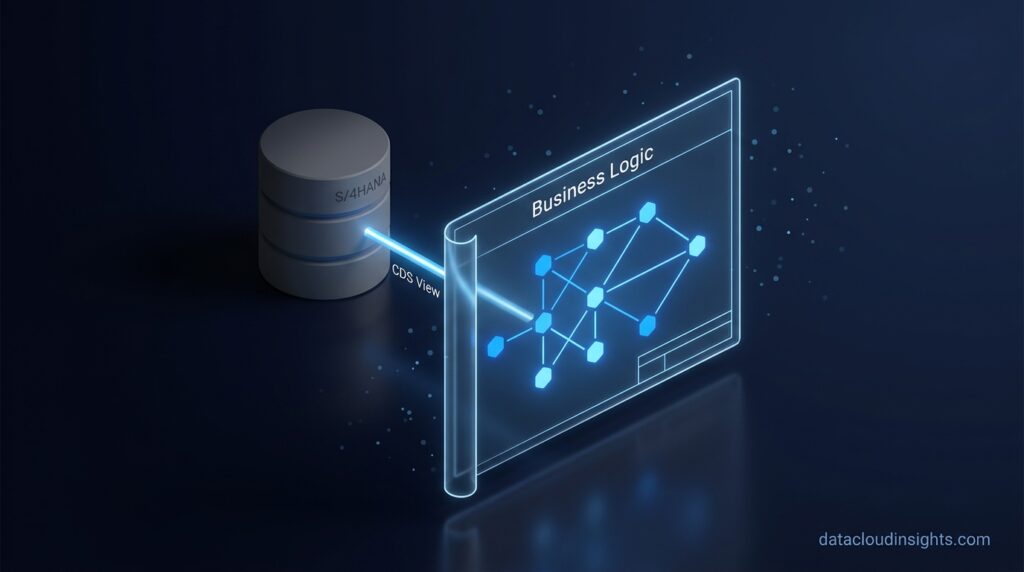
Anyone who has queried an S/4HANA table directly knows the problem. Field names are cryptic, business logic is buried in ABAP CDS views, and two consultants can disagree about what a given column actually means.
A quick plain language note here. A CDS view is a predefined query built inside SAP that already understands the business logic, things like how a sales order connects to a customer. It is SAP’s own way of pre wiring meaning into the data, long before BDC existed.
SAP’s answer with data products was to package the business context that already exists inside that application layer and ship it with the data, instead of asking every downstream team to reverse engineer it. That is the entire point of a data product. It moves the burden of understanding SAP semantics from every consumer to a single publishing step.
Here is my honest opinion, and I know some SAP marketing decks will not love it. The pitch is that data products give you instant, governed, AI ready data with zero copy movement. In practice, they are not instant. Building a clean semantic layer and cleaning up your extractor logic still takes real project time.
The tool changes. The modeling discipline required does not disappear. If you have ever built clean gold layer tables in Databricks or a well kept dbt project, you already know the effort involved. SAP just wraps that effort in better tooling and better default governance.
The Architecture Behind a Data Product
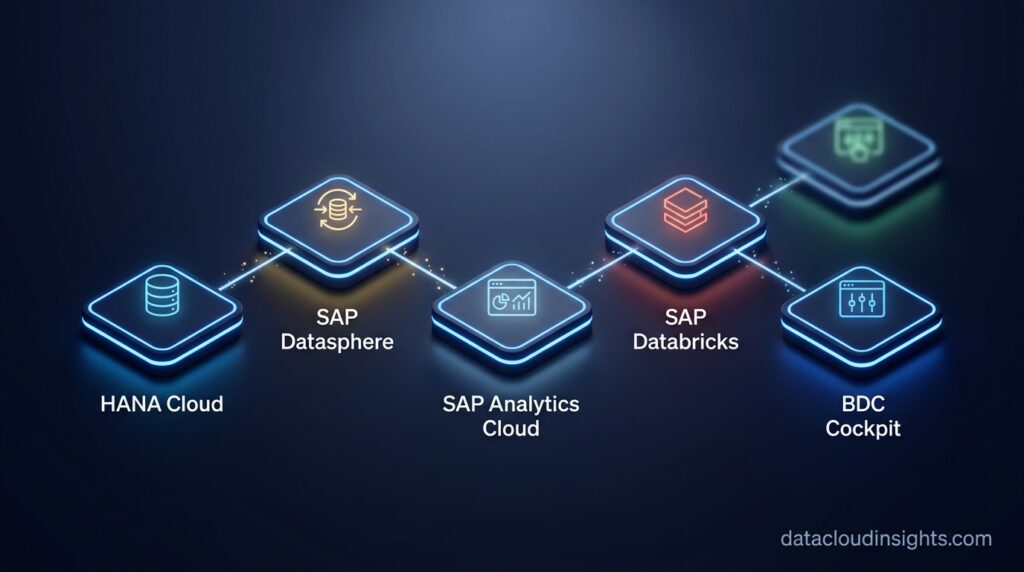
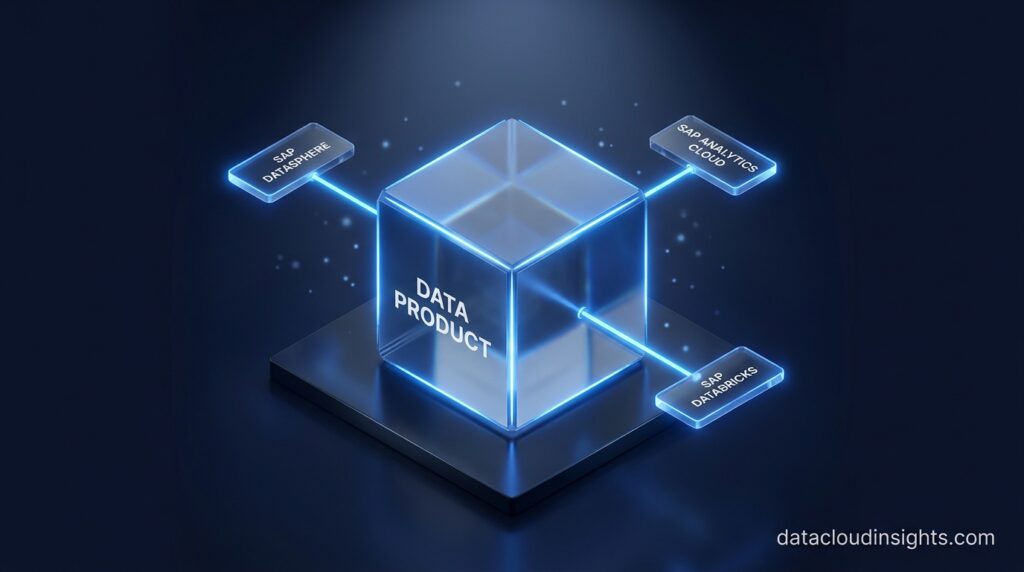
SAP BDC is made of a small number of components, and a data product is what flows between them.
Foundation layer. SAP HANA Cloud is the in memory database and processing engine underneath everything. Most data products get computed or stored here at some stage. In plain terms, this is the engine room, most readers never need to touch it directly.
SAP Datasphere. This is the integration and semantic modeling backbone. Datasphere connects to SAP and non SAP sources, and this is where most custom data products get modeled, using the Data Builder and its business layer for dimensions, measures, and hierarchies.
SAP Analytics Cloud. SAC consumes data products for reporting, dashboards, and planning, and increasingly through natural language queries powered by AI.
SAP Databricks. This is a managed Databricks environment embedded directly in BDC, used for data engineering, machine learning, and AI workloads. It shares data bidirectionally with the rest of BDC through Delta Sharing, the same open protocol Databricks uses everywhere else.
BW Bridge and BW Private Cloud Edition. Optional, but important if your organization still runs a BW system. Bridge lets you reuse existing BW logic instead of rebuilding it from nothing.
BDC Cockpit. The administrative control center where subscriptions, spaces, and access get managed.
A data product is the object that gets defined once in one of these components and then published to a catalog, where it becomes discoverable and consumable across the rest of BDC and beyond it, through Delta Sharing, APIs, or a live connection in SAC.
Two Ways Data Products Show Up: SAP Managed and Custom
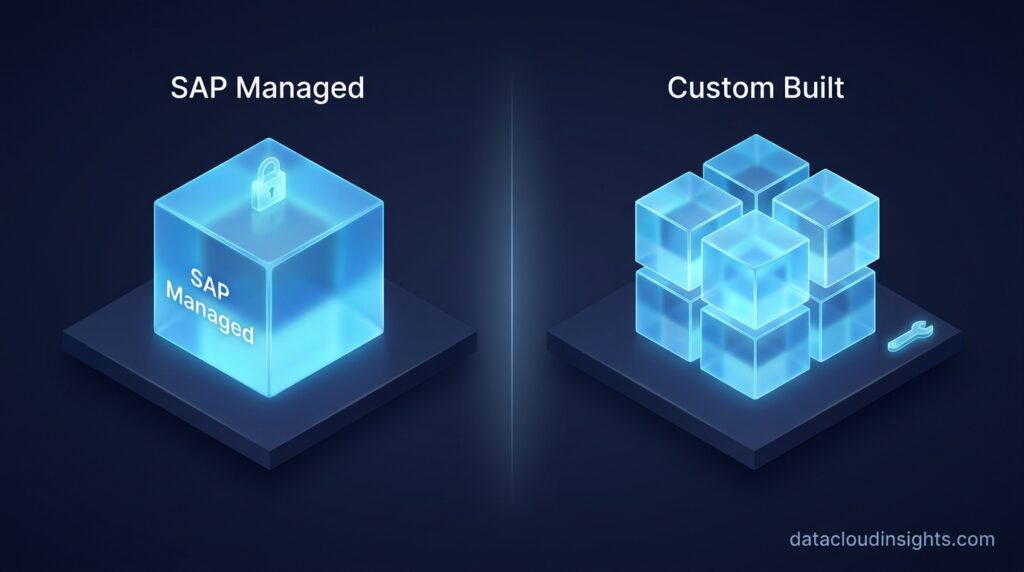
You will run into two distinct flavors on a real project, and mixing them up causes more confusion than almost anything else in BDC.
SAP managed data products are built by SAP itself, covering standard business areas like finance or supply chain. They are read only, arrive with immediate business value, and require no modeling effort on your side. You consume them as they are, the same way you would use a pre made meal kit without changing the recipe.
Custom data products are built by your team, combining SAP sources, non SAP sources, or both, modeled around your organization’s own definitions. This is where a data engineer’s actual work happens, and where most of the rest of this post is focused.
How a Data Product Actually Gets Built
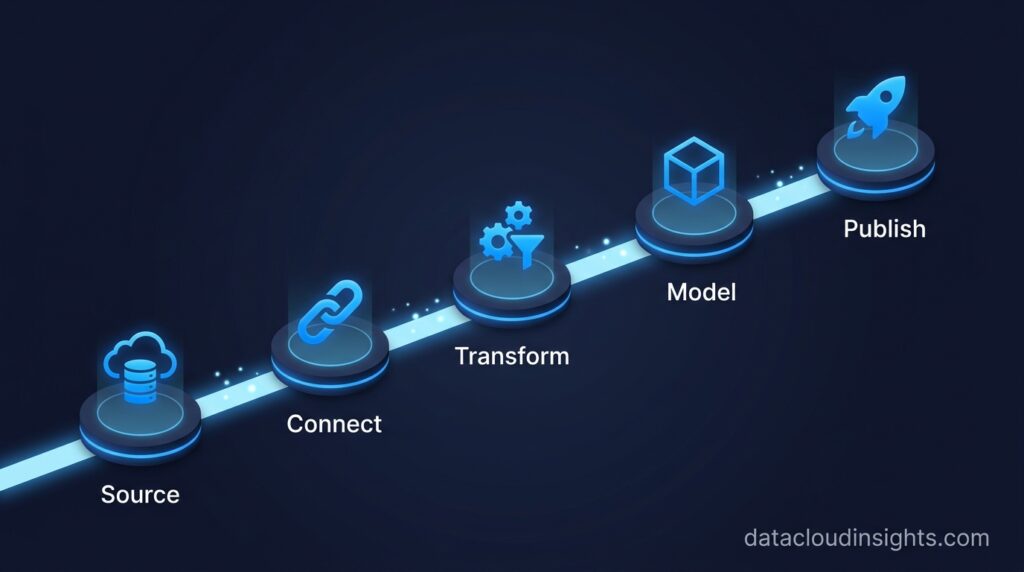
The build process is more mechanical than SAP’s marketing language suggests. Here is the flow for a custom data product, step by step.
Step one, identify your sources. In an S/4HANA source, this usually means ABAP CDS views, prefixed with I underscore, or ODP based extractors. ODP stands for Operational Data Provisioning, SAP’s standard interface for pulling data out of a source system in a controlled way. One thing to flag early on any project timeline: Datasphere requires CDS based extraction, and legacy 2LIS extractors are no longer supported directly. If your source system still relies on 2LIS, you need a conversion path or a BW Bridge detour, and that adds real weeks to a plan.
Step two, connect. Set up the connection inside a Datasphere space, choosing between replication and federated live access depending on freshness and performance requirements. Federation avoids duplicating data but adds query load back on the source system, so this decision matters more than it looks on a slide.
Step three, transform. Build a data flow or a graphical view in the Data Builder to apply joins, filters, calculated columns, and aggregations, producing an analytical dataset rather than a raw copy of the source table.
Step four, add the semantic layer. Define dimensions such as region, customer, or product, and measures with clear business names. This is the step that turns a technical dataset into something a business user or another team can actually understand and trust without asking you what a column means.
Step five, publish and share. Once the data product is marked ready, it gets published to the catalog and shared through Delta Sharing. From there SAC can build a live connection to it, SAP Databricks or an external Databricks workspace can mount it, and other Datasphere spaces can consume it as a governed input rather than a raw table.
Depending on the scenario, you will reach for different tools to get there. The BW Data Product Generator converts existing BW queries into data products, useful if you already have mature BW logic worth preserving. The Data Sharing Cockpit is the lighter weight path for custom flows built around replication flows. Data Product Studio is the newer, enterprise scale tool for managing the full lifecycle and governance of data products across a landscape.
A Concrete Example: Building a Finance Data Product
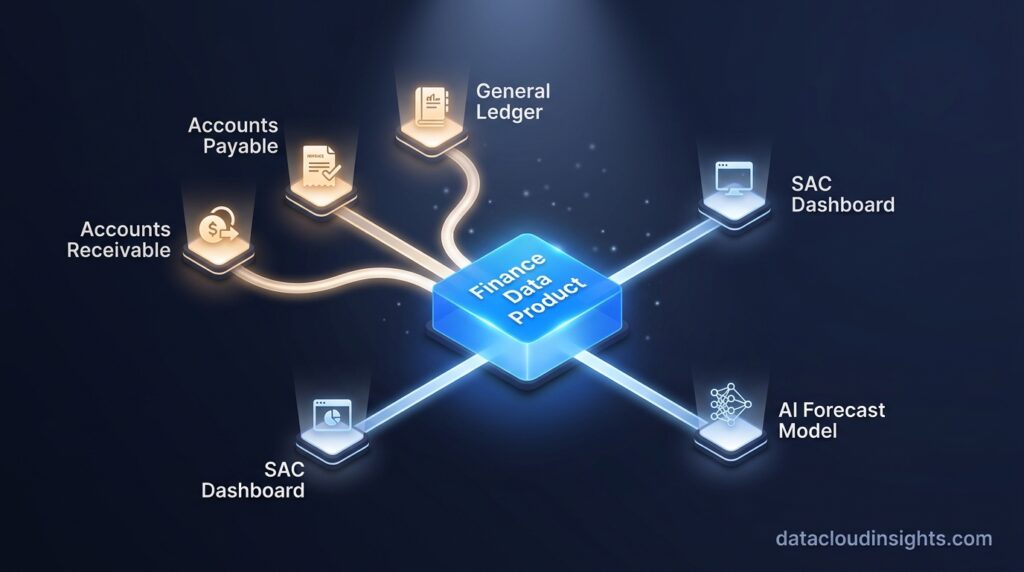
Picture a common request. Finance wants one trusted view that combines accounts receivable, accounts payable, and general ledger balances, instead of three separate extracts that never quite reconcile.
You would start from the relevant finance CDS views in S/4HANA, bring them into a Datasphere space, and build a data flow that joins customer and vendor master data against the open items and GL line items. Currency translation logic gets applied once, inside the transformation, instead of being rebuilt differently by every downstream report.
The semantic layer then exposes clean dimensions, such as company code, customer, vendor, and GL account hierarchy, along with measures like open balance and net position. Once published, this single data product powers a finance dashboard in SAC and, using the exact same numbers, feeds a cash flow forecasting model built in SAP Databricks.
That last part is the actual payoff. The dashboard and the machine learning model are reading from the same governed source, so nobody ends up arguing over whose number is correct.
How This Plays Out on a Real Project
I keep the specifics of active client work out of public posts. Client data and project details are confidential, and that boundary matters more than any single paragraph. What I can share instead is the pattern that repeats across live SAP data product builds.
The gap between a demo of data products and a production one is almost always in extractor readiness, not in the Datasphere modeling itself. A CDS view that looks clean in a sandbox often surfaces edge cases once it touches real production volumes. Duplicate customer records, inconsistent currency codes, years of accumulated exceptions nobody wrote down.
The second pattern is ownership. On paper, a data product has one owner. In practice, on a live project, two or three teams often assume they own the same one, until something breaks and everyone points at somebody else. Deciding on ownership before you publish, not after something goes wrong, saves weeks of friction later.
Where Teams Get This Wrong
A few patterns show up again and again on real projects.
- Building a one time extract for a single dashboard and calling it a data product, when nobody else can reuse it and nobody owns it going forward.
- Skipping the semantic layer step entirely, publishing a joined table with the original cryptic field names still attached, which defeats the whole purpose.
- Promising a delivery date before confirming whether the source system still relies on 2LIS extractors, then losing weeks to a conversion nobody planned for.
- Confusing SAP managed data products, which are read only, with custom ones, then getting frustrated when a stakeholder asks for a change that is simply not possible on a managed object.
- Underestimating catalog governance. Without a clear owner assigned to each data product, teams end up with duplicate, ungoverned versions of the same dataset within a few months.
What the Data Product Model Does Not Solve
I want to be honest about the limits here, because nobody selling you BDC will bring these up first.
The model does not remove real modeling work. Someone still has to define what a clean customer dimension looks like for your organization, and that decision making does not get automated away.
Consuming a data product through SAP Databricks still needs compute, and that compute has a cost attached, so zero copy does not mean zero cost. Plan for it in your business case rather than discovering it later.
Some of the newer tooling, Data Product Studio in particular, is still maturing. Expect rough edges and workarounds, the same as you would with any platform capability that launched recently.
Governance is only as strong as the discipline your organization applies to it. The tool can enforce ownership fields and access rules, but it cannot force a team to actually assign an owner or keep a catalog entry current. That part is still on you.
What to Remember
- A data product is a governed, reusable dataset with business semantics attached, not just a shared table. Think meal kit, not raw ingredients.
- SAP managed data products are read only and ready to use. Custom data products are what you build yourself, combining SAP and non SAP sources.
- The build path is source identification, connection, transformation, semantic modeling, then publish and share through Delta Sharing.
- Legacy 2LIS extractors are not supported directly in Datasphere. Check this before you commit to a project timeline.
- Delta Sharing is the same open protocol used across Databricks generally, which is genuinely useful common ground if your team comes from an Azure or Databricks background.
- The biggest real world payoff is that a dashboard and a machine learning model can read from the exact same trusted number, instead of two versions that quietly drift apart.
- None of this removes the need for real data modeling skill. It changes where that skill gets applied, not whether it is needed.
Data products are the part of SAP Business Data Cloud that actually determines whether the platform delivers value or just becomes another layer of infrastructure. Next up, I want to get into how SAP managed and custom data products behave differently once AI agents start consuming them directly. Stay tuned for that one.
Related Reading on Data Cloud Insights
- SAP BDC Architecture Explained
- SAP Business Data Cloud: The Unified Platform Solving Data Fragmentation
- SAP BDC vs Your Current Stack: Honest Migration Guide for Data Engineers (Part 6)
- SAP Business Data Cloud Certification Guide for 2025
- SAP Analytics Cloud (SAC): The Complete Guide for 2026
- SAP Analytics Cloud vs Power BI: Honest Comparison for 2026
- More on this topic: Data Engineering category and SAP category